
Back to the meeting.
A simple Mac helper for Zoom error 1132. Back up selected Zoom state, then start Zoom in a sandbox.
macOS 13 or later Apple silicon and Intel
Install on your Mac.
Move it to Applications
Open the downloaded disk image and drag 1132 Meeting Helper into Applications.
Open the helper
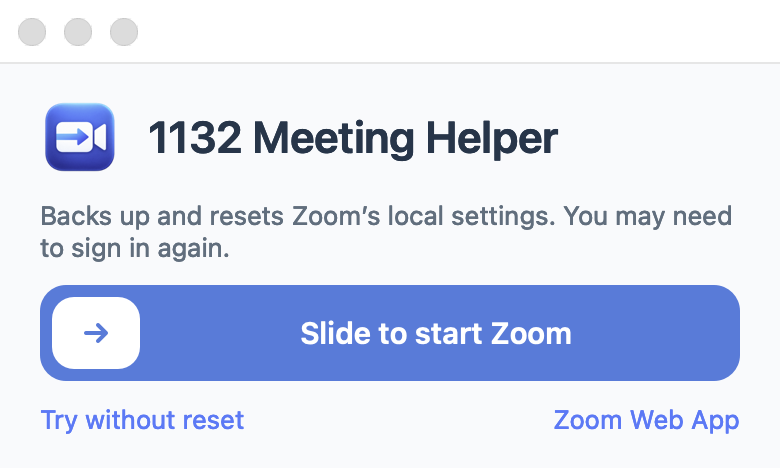
Launch 1132 Meeting Helper from Applications to see its welcome window.
Start your session
Choose how to open Zoom. Allow camera and microphone access if macOS asks.
Common questions.
What changes when I back up and reset?
Zoom closes, updater agents pause, and selected support, cache, preference, saved-state, and log files move to a timestamped backup. Recordings elsewhere are not moved. You may need to sign in again.
Can I keep my local Zoom state?
Yes. Choose the sandbox-only option in the welcome window to open Zoom without moving or resetting local state.
Will this fix error 1132?
It may help when the issue is related to local Zoom state, but cannot guarantee a resolution. Results depend on Zoom, your account, network conditions, and organization restrictions.